While browsing in private mode, no history cache or cookies are stored. However, any file downloaded or website bookmarked is preserved. Here are 3 ways to start private internet browsing session in Google Chrome.
1. Shortcut key to start private session
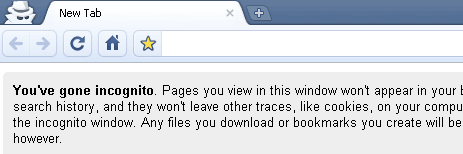
With Google Chrome window opened, just press Ctrl + Shift + N keys to open new Chrome window with private browsing (also called incognito) turned ON. MAC users can use command + shift + N shortcut keys.
2. Menu option for new private session
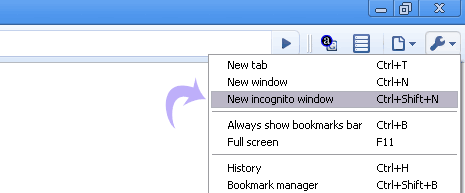
In opened Chrome window, goto Tools > New Incognito Window option to launch a new window with private browsing incognito mode turned ON.
3. Open any link in private browsing mode
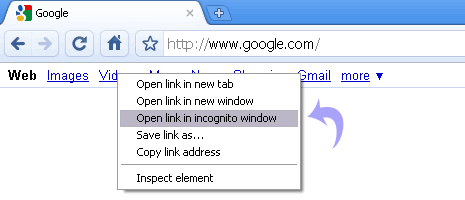
While browsing any webpage in Google Chrome, just right click any weblink and then click “Open link Incognito Window” to launch a new window with private browsing feature enabled.


No comments:
Post a Comment